Schoolbook Tools

Mess around with schoolbook.ge

As of 03.06.2023. See апошняя версія.

You will need to install an extension such as Tampermonkey, Greasemonkey or Violentmonkey to install this script.

You will need to install an extension such as Tampermonkey to install this script.

You will need to install an extension such as Tampermonkey or Violentmonkey to install this script.

You will need to install an extension such as Tampermonkey or Userscripts to install this script.

You will need to install an extension such as Tampermonkey to install this script.

You will need to install a user script manager extension to install this script.

(I already have a user script manager, let me install it!)

You will need to install an extension such as Stylus to install this style.

You will need to install an extension such as Stylus to install this style.

You will need to install an extension such as Stylus to install this style.

You will need to install a user style manager extension to install this style.

You will need to install a user style manager extension to install this style.

You will need to install a user style manager extension to install this style.

(I already have a user style manager, let me install it!)

Аўтар
Naviamold
Рэйтынг
0 0 0
Версія
1.61
Створаны
11.02.2023
Абноўлены
03.06.2023
Памер
3.6 КБ
Ліцэнзія
MIT
Ужываецца на

Schoolbook Tools: A User Script for Schoolbook.ge

With this user script, you can enhance your experience on schoolbook.ge by adding the following features:

  • Grade Changer: Change your grades to any desired number.
  • Attendance Changer: Change your attendance to any desired number.
  • Message Hider: Hide messages from your dashboard.
  • Live Grade Updater: Stay up-to-date with your grades in real-time, no more waiting for two weeks to see your updated average!
  • Grade Viewer: View others grades.

Installation and Setup

To install this script, follow these steps:

  1. Download and install a UserScript manager, such as Tampermonkey or Violentmonkey.
  2. Add the script to your UserScript manager by clicking the INSTALL button on the top.
  3. Open the script and go to the values section.
  4. Click "Show/edit the entire script value storage."
  5. Paste the following JSON object into the value storage, replacing the current values with your desired one's:
{
  "attendanceViewer": true,
  "changeAttendance": null,
  "changeGrade": null,
  "gradeViewer": true,
  "hideComments": false,
  "liveGradeUpdate": true
}
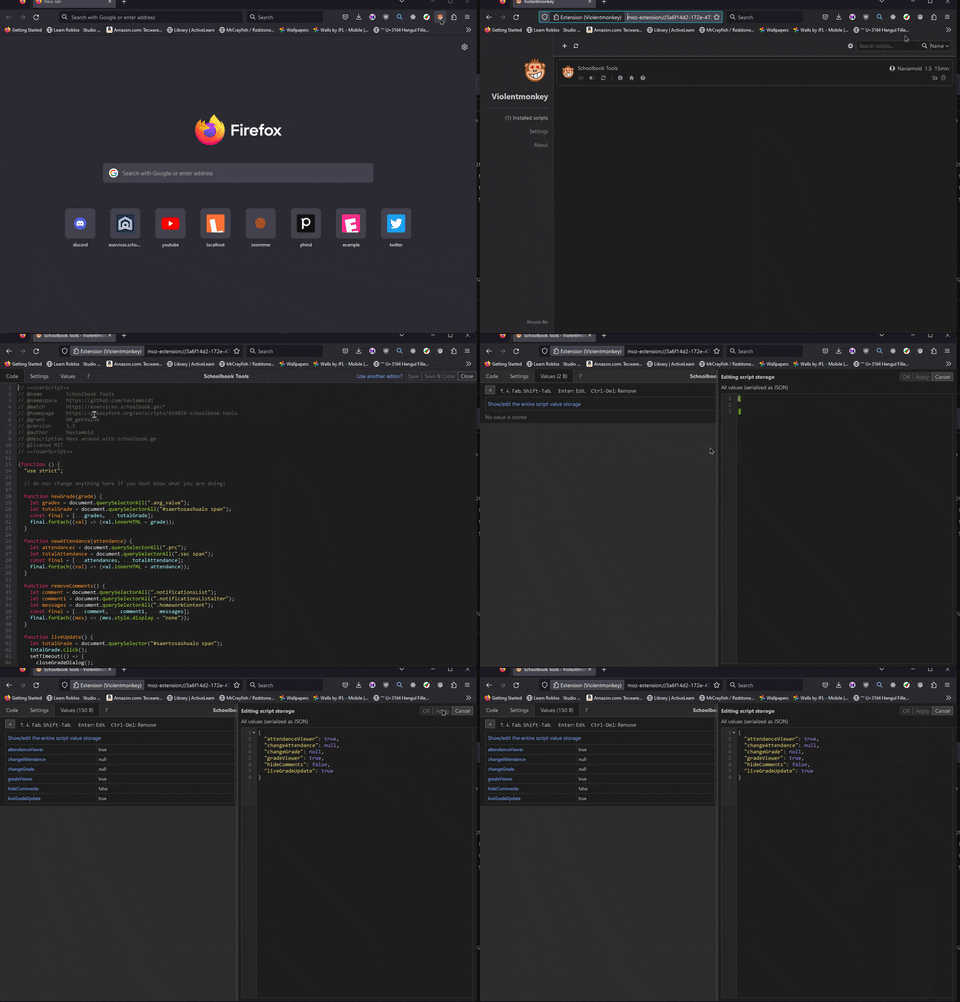
Here's a short gif showing the process.

gif