
Welcome to Greasy Fork, a site for user scripts.
Hvad er et user script?
User scripts put you in control of your browsing experience. Once installed, they automatically make the sites you visit better by adding features, making them easier to use, or taking out the annoying bits. The user scripts on Greasy Fork were written by other users and posted to share with the world. They're free to install and easy to use.
Step 1: install a user script manager
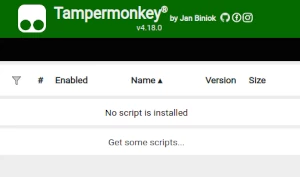
To use user scripts you need to first install a user script manager. Which user script manager you can use depends on which browser you use.
Desktop Mobile (Android) Mobile (iOS)
- Chrome: Tampermonkey
- Firefox: Greasemonkey, Tampermonkey, or Violentmonkey
- Safari: Tampermonkey or Userscripts
- Microsoft Edge: Tampermonkey
- Opera: Tampermonkey or Violentmonkey
- Maxthon: Violentmonkey
- AdGuard: (no additional software required)
- Firefox: Greasemonkey, Tampermonkey, or Violentmonkey
- Microsoft Edge: Tampermonkey
- Maxthon: Violentmonkey
- Dolphin: Tampermonkey
- UC: Tampermonkey
- XBrowser
- Safari: Tampermonkey or Userscripts
- Gear: (no additional software required)
Step 2: install a user script
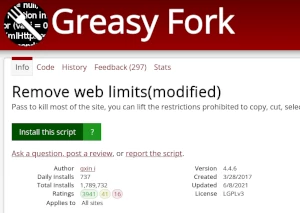
Browse this site to find a user script you want to try. Here is a sample of the most popular scripts:
- GitHub local - Translate GitHub.com
- Tag Ikke Min IP - Blokerer opfange IP-adressen udført af en ekstern API-forespørgsel.
- XEnhancer - XEnhancer forbedrer din oplevelse på Twitter (X) — gem medier med et enkelt klik, formater tidsstempler for klarhed, og strømlin din sociale feed med lethed.
- Universal Media Pro Toolkit | Videooverførsel, URL-ekstraktion, afspil - Udtræk direkte video-URL'er, download medier nemt, og afspil med et enkelt klik i et rent, svævende vindue.
- Telegram medie-downloader (Optimeret og forbedret) - Understøtter download af billeder, videoer og talebeskeder fra Telegram-kanaler med downloadbegrænsninger, med en grænseflade der ligger tæt op ad Telegrams oprindelige designstil.
Once you've found a user script, click the green install button on the user script's page, and your user script manager will ask you to confirm the install.
Step 3: use the user script
Go to the site the user script affects. It should automatically do its thing. After trying out the user script for a while, go back to where you installed the user script and leave some feedback for the user script's author.