Shows a layer displaying the available street view roads and locations
Versión del día
WME userscript that shows where you can expect to find Street View imagery. The information provided is quite basic, but this is all that is readily available to show. Additionally, this script shows the month in which the Street View imagery was obtained.
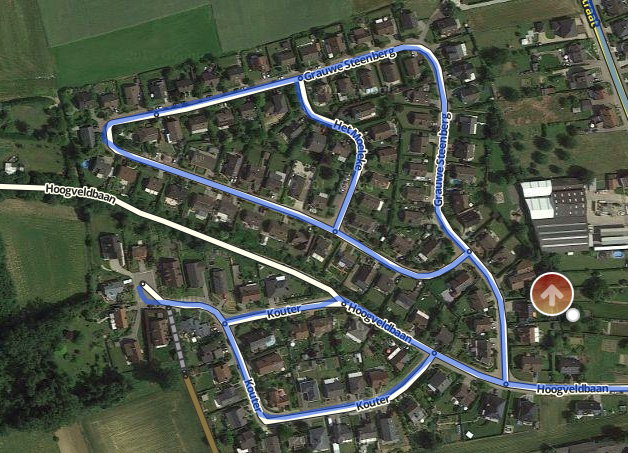
Whenever you drag the Street View marker in the map editor, blue lines indicating where Street View imagery is available will appear. It is also possible to force the street view data to appear by using the shortcut Shift+T.
TL;DR: install as most other WME userscripts from Greasy Fork: INSTALL USERSCRIPT
Userscripts are snippets of code that are executed after the loading of certain webpages. This script does this after the loading of the Waze Map Editor. In order to run userscripts in your browser, you are adviced to use Firefox or Google Chrome.
You will need to install an add-on that manages userscripts for this to work. There is TamperMonkey for Firefox and Chrome.
These add-ons will be visible in the browser with an additional button that is visible to the right of the address bar. Through this button it will be possible to maintain any userscripts you install.
For WME Street View Availability, you should be able to install the script at Greasy Fork. There will be a big green install button which you will have to press to install the script. When installing userscripts always pay attention to the site(s) on which the script runs. This script only runs on Waze.com, so other sites will not be affected in any way.
After installing a userscript, you will be able to find it working on the site(s) specified. Do note that if you had the page open before installing the userscript, you will first need to refresh the page.
TamperMonkey will occasionally check for new versions of these scripts. You will get a notification when a new version has been found and installed.
Any issues found can be reported at the GitHub project page or on the Waze script forum thread.
