
What are user scripts?
User scripts put you in control of your browsing experience. Once installed, they automatically make the sites you visit better by adding features, making them easier to use, or taking out the annoying bits. The user scripts on Greasy Fork were written by other users and posted to share with the world. They're free to install and easy to use.
Step 1: install a user script manager
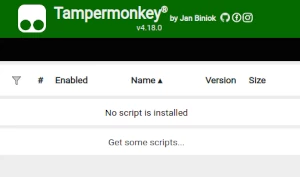
To use user scripts you need to first install a user script manager. Which user script manager you can use depends on which browser you use.
Desktop Mobile (Android) Mobile (iOS)
- Chrome: Tampermonkey
- Firefox: Greasemonkey, Tampermonkey, or Violentmonkey
- Safari: Tampermonkey or Userscripts
- Microsoft Edge: Tampermonkey
- Opera: Tampermonkey or Violentmonkey
- Maxthon: Violentmonkey
- AdGuard: (no additional software required)
- Firefox: Greasemonkey, Tampermonkey, or Violentmonkey
- Microsoft Edge: Tampermonkey
- Maxthon: Violentmonkey
- Dolphin: Tampermonkey
- UC: Tampermonkey
- XBrowser
- EinkBro
- Safari: Tampermonkey or Userscripts
- Gear: (no additional software required)
- Teak: (no additional software required)
Step 2: install a user script
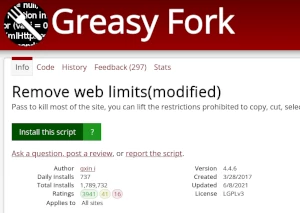
Browse this site to find a user script you want to try. Here is a sample of the most popular scripts:
- 🔥【百度网盘加速】33Down 网盘解析 🔥 - 破除网盘限速,成就你的体验,无视任何黑号,加速你的下载!灵感来源于KDown,经作者同意,发布本脚本给各位网友体验!
- Mga Estilo ng Moomoo - Moomoo.io/sploop.io mod [Texture Pack Editor/ Music Player/ Hat Keybinds/ Music Visualizer/ Skin Switcher/ Anti-Kick/ Auto Login]
- Telegram Downloader (Pag-download ng video, Orihinal na larawan, I-compress, PNG) - Mag-download ng mga video at larawan mula sa mga pribadong channel. Sinusuportahan ang pag-download ng video, pag-save ng orihinal, at PNG para sa mga larawan.
- Universal Media Pro Toolkit | Video Download, Extract URL, Play - I-extract ang mga direktang URL ng video, madaling i-download ang media, at i-play sa isang click sa isang malinis, lumulutang na window.
- Autodarts Layout Selector - Stable Layout Switcher with Overlay + Menu Integration
Once you've found a user script, click the green install button on the user script's page, and your user script manager will ask you to confirm the install.
Step 3: use the user script
Go to the site the user script affects. It should automatically do its thing. After trying out the user script for a while, go back to where you installed the user script and leave some feedback for the user script's author.