Full Replacement of YouTube Chat Message List
This is the full replacement of chat message list, like HyperChat.
We use the latest web technology called SolidJS for high efficient DOM tree handling.
You can feel the smooth update of messages with the least memory usage.
YouTube Boost Chat YT名稱修復 Nickname Restoration for YouTube Boost Chat
#items -> .bst-message-list
#message -> .bst-message-body
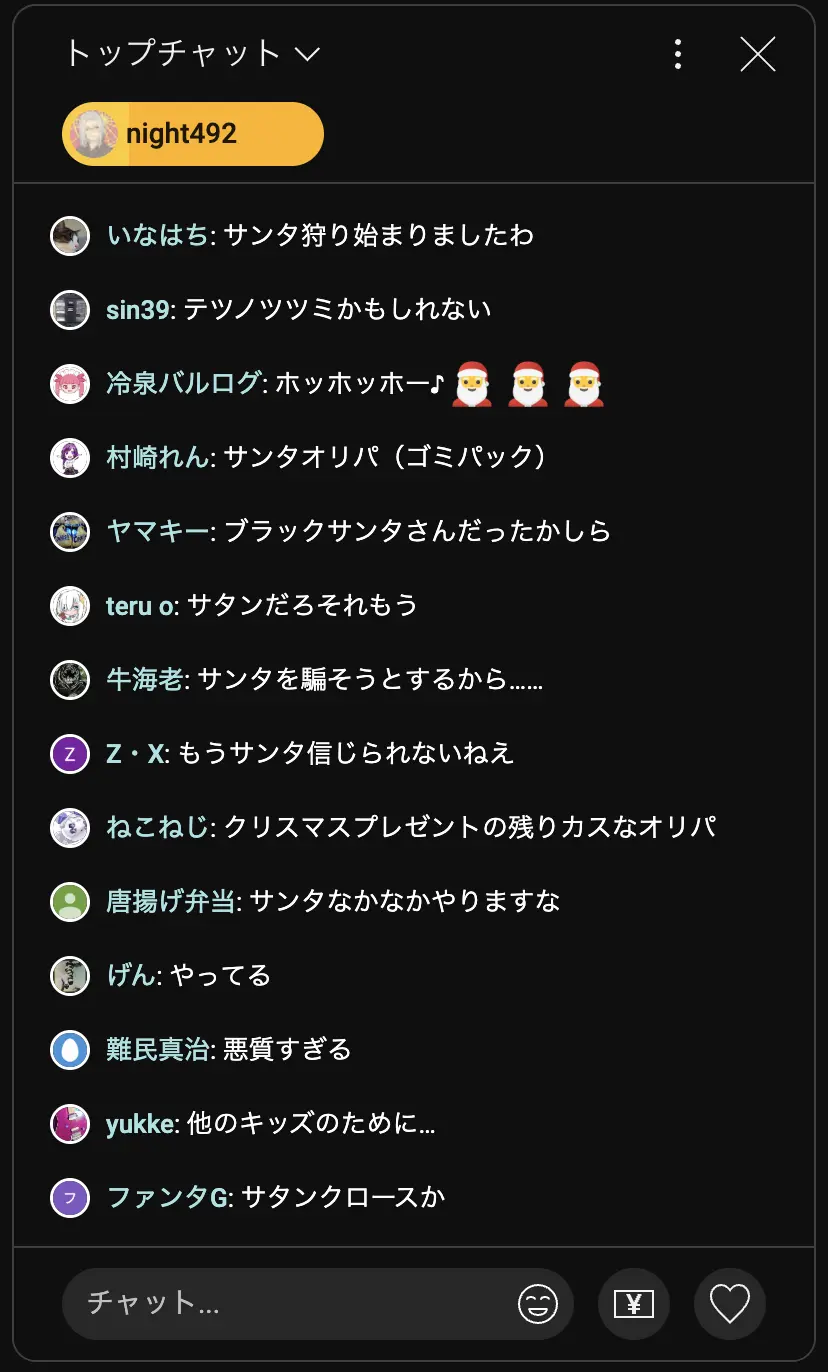
    body .bst-message-list[class] {
        --bst-message-entry-pl:30px;
        --yt-live-chat-profile-icon-size:26px;
        --yt-live-chat-first-line-height:1.6;
        --yt-live-chat-emoji-size:  12px;
        --bst-author-badge-size: 12px;
    }
    .bst-message-body {
        display:block;
    }
    .bst-gift-message .bst-message-body {
        display: inline;
    }
    .bst-message-entry{
        font-size:8pt;
    }
    .bst-message-profile-holder{
        margin-top:2px;
        top:8px;

    }
    bst-tooltip {
        font-size: 8pt;
    }
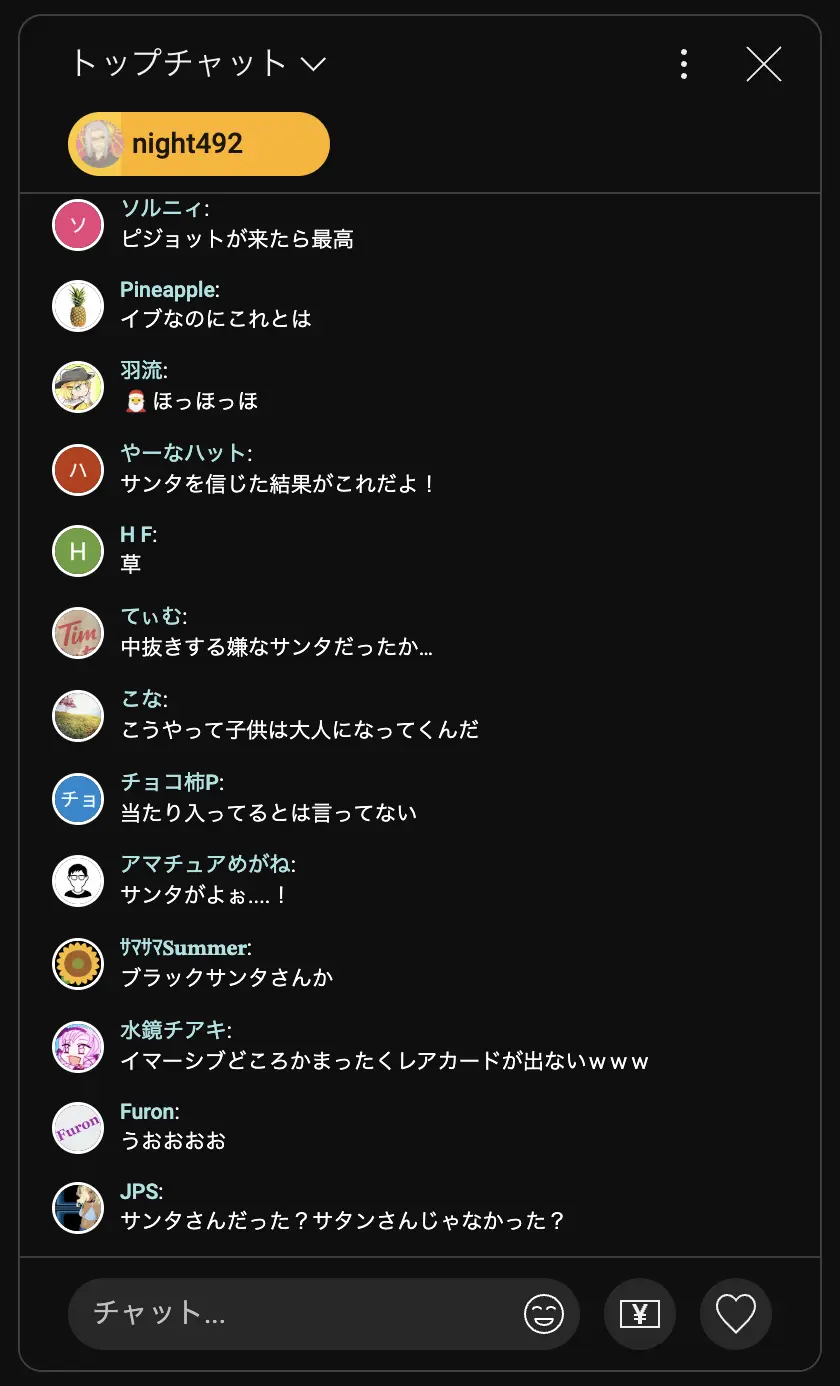
    body .bst-message-list[class] {
        --bst-message-entry-pl:14px;
        --yt-live-chat-profile-icon-size:20px;
        --yt-live-chat-first-line-height:1.6;
        --yt-live-chat-emoji-size:  18px;
        --bst-author-badge-size: 18px;
    }
    .bst-message-body {
        display:block;
    }
    .bst-gift-message .bst-message-body {
        display: inline;
    }
    .bst-message-entry{
        font-size:16pt;
    }
    .bst-message-profile-holder{
        margin-top:0px;
        top:0px;

    }
    body .bst-message-entry-highlight{
        left:-1.65rem;
        right:-1.65rem;
    }
    bst-tooltip {
        font-size: 10pt;
    }
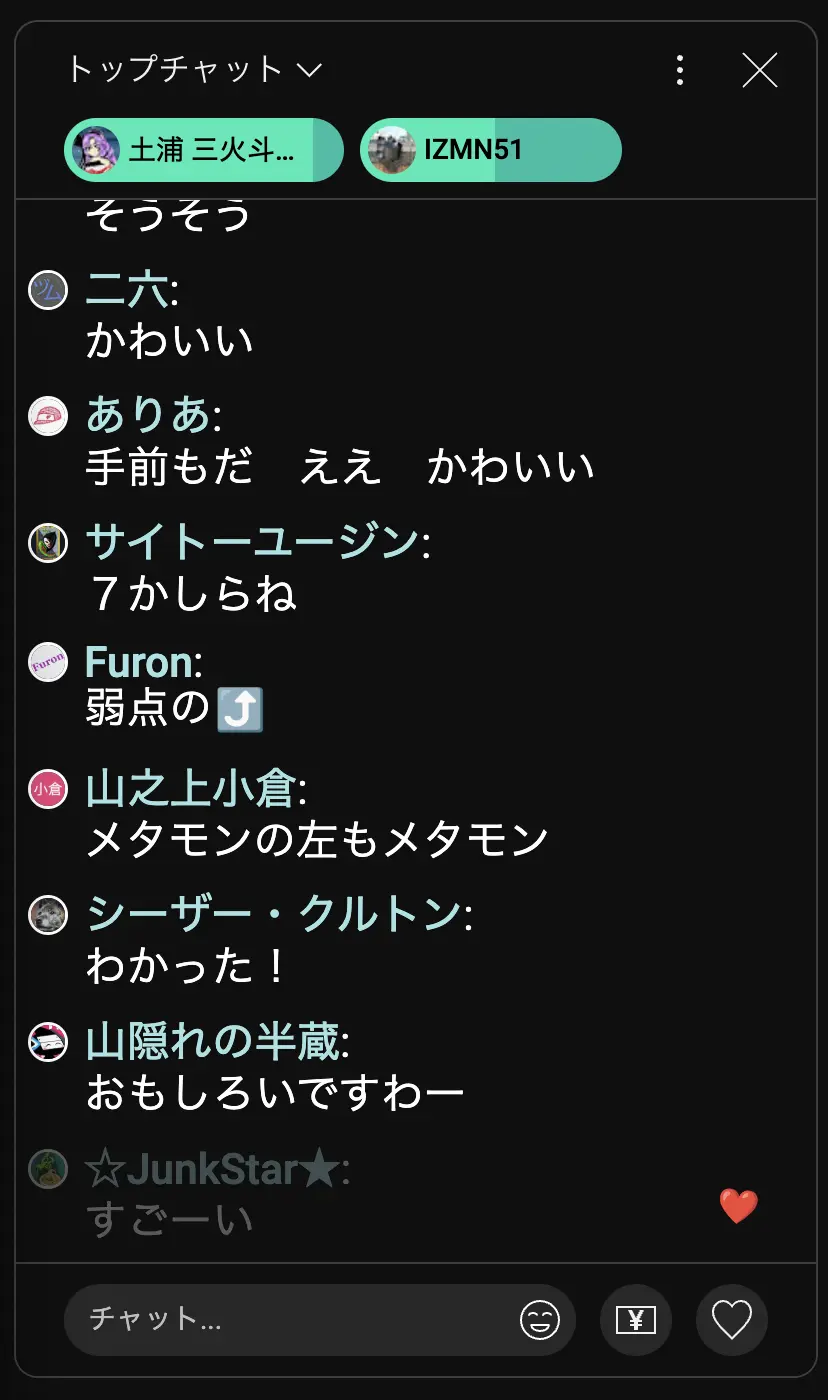
    body .bst-message-list[class] {
        --bst-message-entry-pl:14px;
        --yt-live-chat-profile-icon-size:20px;
        --yt-live-chat-first-line-height:1.6;
        --yt-live-chat-emoji-size:  20px;
        --bst-author-badge-size: 14px;
    }
    .bst-message-head {
        font-size: 12pt;
    }
    .bst-message-body {
        font-size:16pt;
        display:block;
    }
    .bst-gift-message .bst-message-body {
        font-size: 12pt;
        display: inline;
    }
    .bst-message-profile-holder{
        margin-top:0px;
        top:0px;

    }
    body .bst-message-entry-highlight{
        left:-1.65rem;
        right:-1.65rem;
    }
    bst-tooltip {
        font-size: 10pt;
    }
    body .bst-message-profile-anchor{
        left: -6px;
    }
--bst-author-badge-size: 16px;
--bst-author-badge-mb: .2rem;
--bst-default-text-color: #fff;
--bst-username-color: #a3e3e3;
--bst-list-pl: 20px;
--bst-list-pr: 20px;
--bst-list-pt: 8px;
--bst-list-pb: 8px;
--bst-list-gap: 10px;
You can customize the appearance of YouTube Boost Chat using the Stylus extension, even if you don’t know anything about coding!
Install the Stylus browser extension:
Once installed, you’ll see a small green “S” icon on your browser toolbar.
Here’s a working Stylus userCSS template. Just copy and paste everything below:
/* ==UserStyle==
@name         YouTube Boost Chat Custom Style
@namespace    https://example.com/
@version      1.0.0
@description  Personal styling for YouTube Boost Chat
@match        *://www.youtube.com/*
==/UserStyle== */

@-moz-document domain("youtube.com") {

  /* Custom variable overrides */
  body .bst-message-list[class] {
      --bst-message-entry-pl: 14px;
      --yt-live-chat-profile-icon-size: 20px;
      --yt-live-chat-first-line-height: 1.6;
      --yt-live-chat-emoji-size: 18px;
      --bst-author-badge-size: 16px;
  }

  /* Customize font and spacing */
  .bst-message-entry {
      font-size: 14px;
  }

  .bst-message-body {
      display: block;
  }

  .bst-gift-message .bst-message-body {
      display: inline;
  }

  .bst-message-profile-holder {
      margin-top: 0px;
      top: 0px;
  }

  .bst-message-head {
      font-size: 13px;
  }

  bst-tooltip {
      font-size: 10px;
  }

  /* Optional: highlight spacing tweak */
  body .bst-message-entry-highlight {
      left: -1.5rem;
      right: -1.5rem;
  }

}
--yt-live-chat-emoji-size.--yt-live-chat-profile-icon-size.font-size in .bst-message-entry to change text size.You can experiment with the values, then click Save and see the changes live—no need to refresh!
