YouTube Configuration

Read and Make YouTube Configuration

您需要先安装一个扩展,例如 篡改猴Greasemonkey暴力猴,之后才能安装此脚本。

You will need to install an extension such as Tampermonkey to install this script.

您需要先安装一个扩展,例如 篡改猴暴力猴,之后才能安装此脚本。

您需要先安装一个扩展,例如 篡改猴Userscripts ,之后才能安装此脚本。

您需要先安装一款用户脚本管理器扩展,例如 Tampermonkey,才能安装此脚本。

您需要先安装用户脚本管理器扩展后才能安装此脚本。

(我已经安装了用户脚本管理器,让我安装!)

您需要先安装一款用户样式管理器扩展,比如 Stylus,才能安装此样式。

您需要先安装一款用户样式管理器扩展,比如 Stylus,才能安装此样式。

您需要先安装一款用户样式管理器扩展,比如 Stylus,才能安装此样式。

您需要先安装一款用户样式管理器扩展后才能安装此样式。

您需要先安装一款用户样式管理器扩展后才能安装此样式。

您需要先安装一款用户样式管理器扩展后才能安装此样式。

(我已经安装了用户样式管理器,让我安装!)

作者
𝖢𝖸 𝖥𝗎𝗇𝗀
日安装量
0
总安装量
55
评分
0 0 0
版本
0.1.4
创建于
2023-05-04
更新于
2023-05-07
大小
95.2 KB
许可证
MIT
适用于

Development & Debug Purpose Only

Read:

  • In the current version, the script can only read the values.
  • To select all the values, use Ctrl-A / Command-A (Mac) and press Ctrl-C / Command-C (Mac) to copy.

Write:

  • The write feature is currently disabled to avoid issues.
  • In the future, it may be possible to edit the values. Please be careful when editing any values.

Override by Hard-Coding:

  • If you want to set specific settings, you can do so by modifying configSet() and uncommenting // moduleSetYC();
  • Once you have written the settings and uncommented moduleSetYC(), the settings will automatically apply to your full refresh of the YouTube page.

Explanation:

  • .list-entry.list-entry-mainkey (with a mark) refers to the main feature keys that affect the YouTube UI/UX.
  • .list-entry.list-entry-minorkey-diff (purple entry color) refers to settings that differ from mainstream settings.
  • .list-entry.list-entry-minorkey-same (gray entry color) refers to settings that are the same as mainstream settings.

Note 1: Differences from mainstream settings don't necessarily imply a different layout. The purpose is to hide settings that are the same for every person and may have become obsolete.

Note 2: If you want to change their definitions, please modify the mainKeys array (a list of strings) and minorKeyValues (key-value pairs).
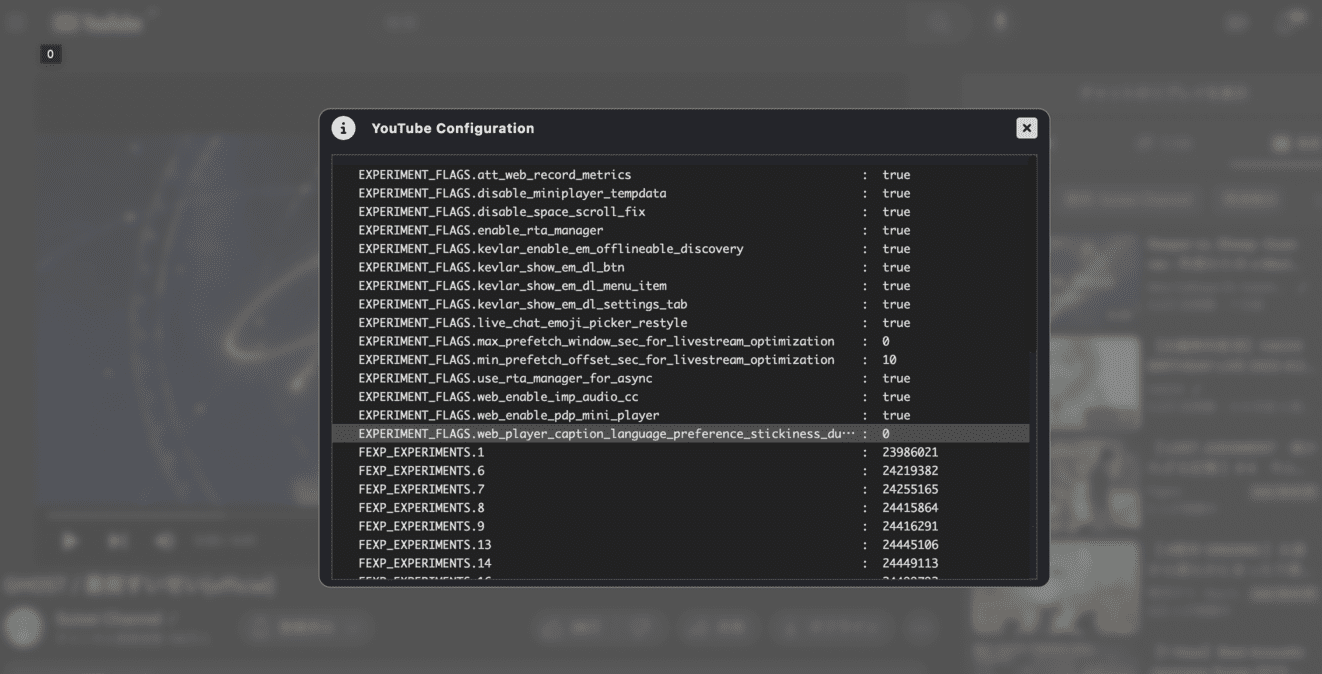
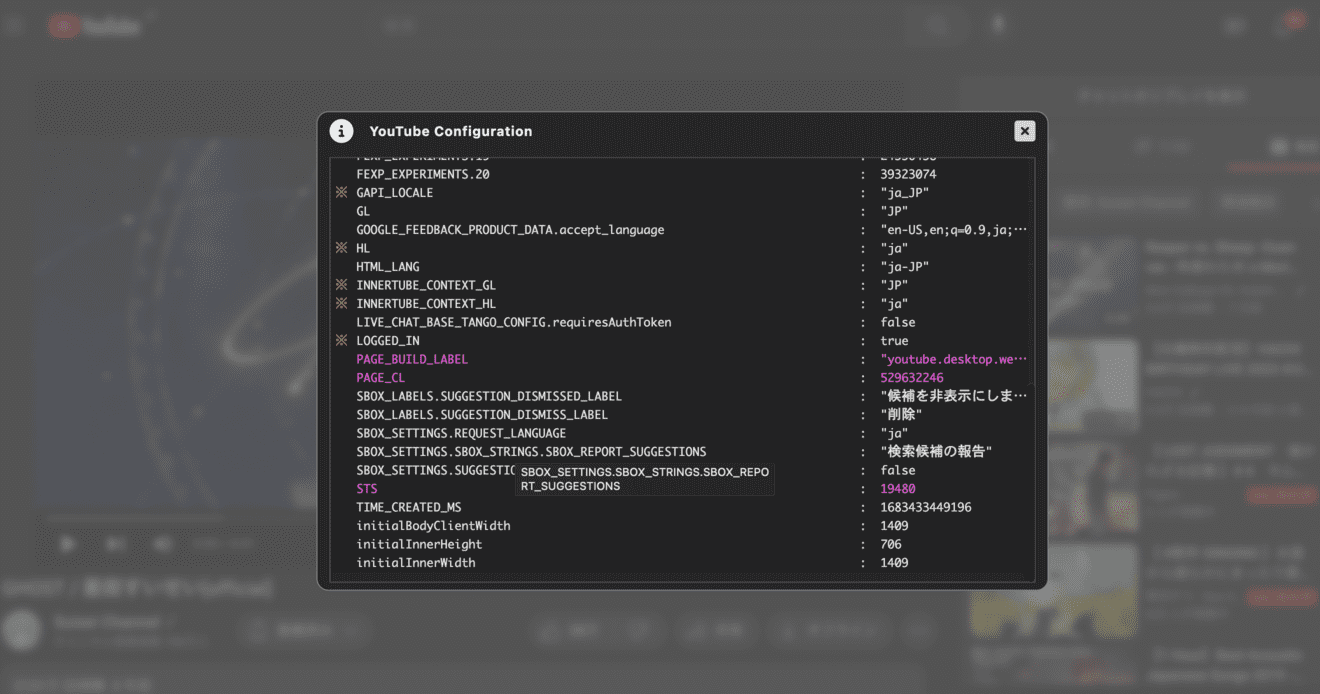
Screenshots:

Image1 Image2