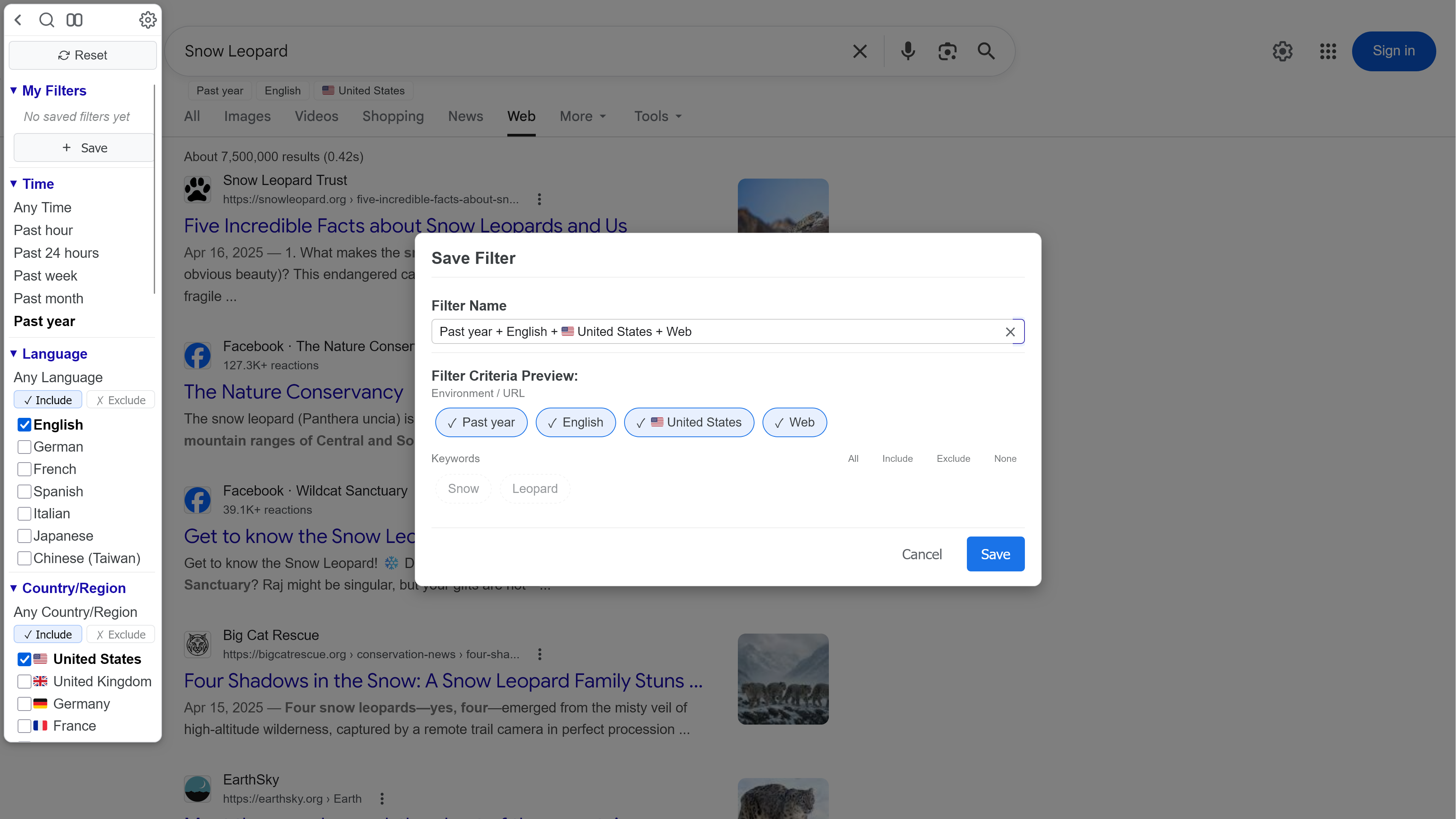
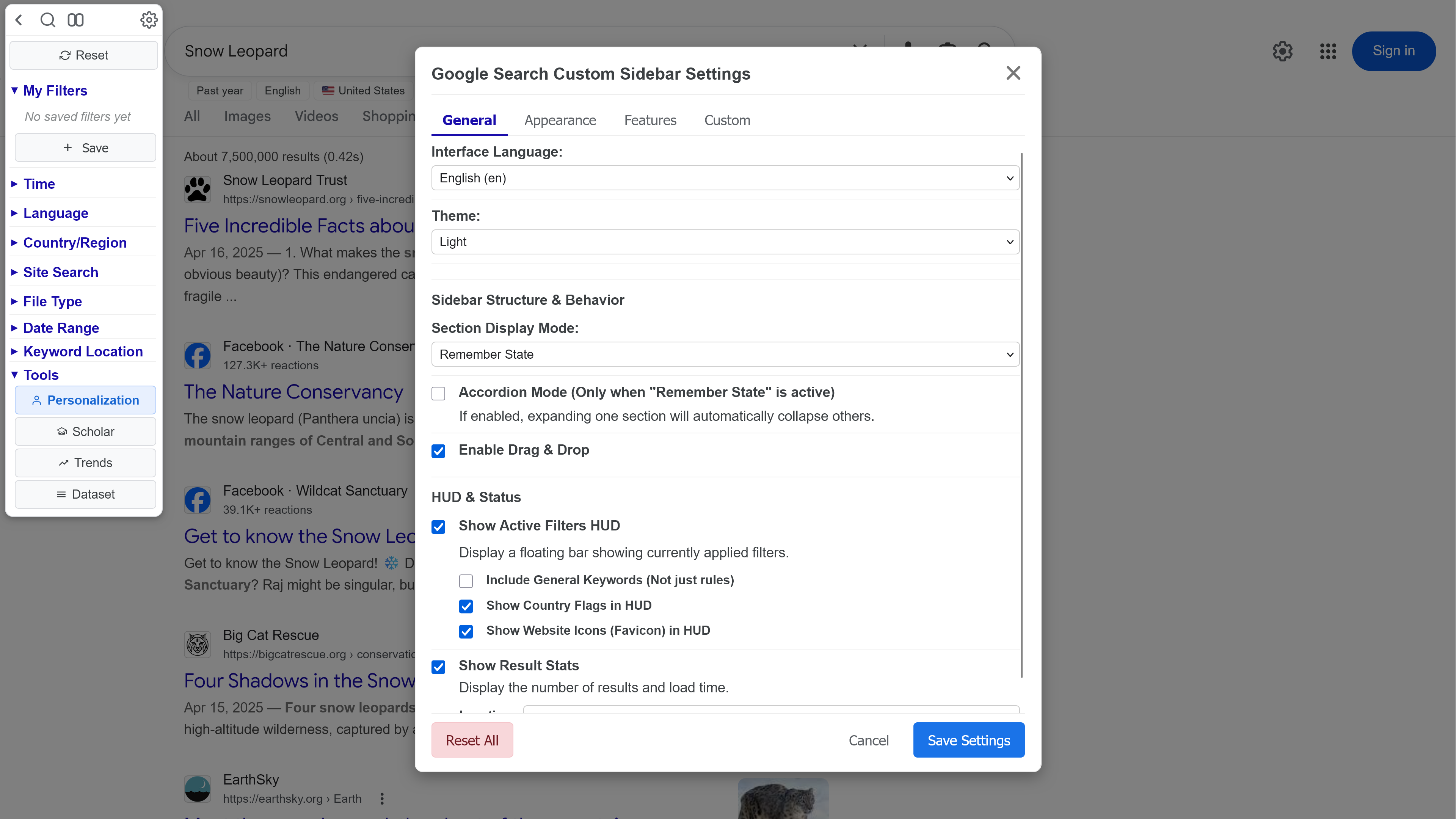
Adds a customizable sidebar to Google Search with instant filters (language, time, filetype, country, site, date range), saveable My Filters, Active Filters HUD, exclude mode, multi-select, and built-in tools — draggable, multilingual, fully themeable.
ของเมื่อวันที่
⚠️ IMPORTANT — Do not install the Chrome Web Store version. This UserScript is only officially available here on Greasy Fork. The same-named extension on the Chrome Web Store (published under the name "generouslline") was repackaged without the author's involvement. After installation, it injects ads redirecting to AddonUp's website. AddonUp publishes extensions under multiple unrelated account names, making it difficult to identify the source before installation. These repackaged versions may also contain PUPs (Potentially Unwanted Programs). Search "addonup" on Reddit to learn more about this entity.
Adds a powerful sidebar to Google Search with one-click access to filters, favorite sites, and advanced tools — fully customizable, draggable, and multilingual.
Apply search filters with a single click — no more navigating Google's hidden menus.
| Filter | What it does |
|---|---|
| Language | Restrict to one or multiple languages. Multi-select on by default. Supports exclude mode. |
| Time | Predefined ranges (15 min – 1 year), plus a custom date picker with validation. |
| File Type | Individual types (PDF, DOCX…) or built-in groups (📄 Documents, 📊 Spreadsheets…). Multi-select on by default. |
| Country | Filter by country with flag emoji 🇺🇸🇯🇵🇹🇼. Multi-select on by default. Supports exclude mode. |
| Site Search | Search within favorite websites. Supports sub-paths, OR groups, favicons, and exclude mode. |
| Keyword Location | Restrict to title, body text, URL, or inbound links. |
| Date Range | Custom start/end dates with built-in validation. |
💡 Middle-click any filter to open results in a new background tab.
| Tool | Description |
|---|---|
| Verbatim | Toggle exact-match ("Verbatim") search mode. |
| Personalization | Enable or disable Google's personalized results. |
| Advanced Search | Jump to Google Advanced Search with your query pre-filled. |
| Google Scholar | Search your current keywords on Google Scholar. |
| Google Trends | Explore your current keywords on Google Trends. |
| Dataset Search | Search your current keywords on Google Dataset Search. |
| Reset | Clear all active filters in one click. |
Each tool's button can be placed in the header, top block, tools section, or hidden entirely.
Save your current search state (language, time, country, site, filetype, keywords…) as a one-click custom filter. Each filter is auto-named using smart analysis of the applied criteria (e.g., "Reddit / PDF / Past Year"). Manage or delete saved filters directly from the sidebar.
A floating overlay near the search box shows every active filter as a removable chip — click to remove instantly, no need to scroll to the sidebar. Optionally display country flags and site favicons on chips.
Result Stats show total results and query time, configurable to appear below the search box or inside the sidebar. Updated dynamically on every page, language-agnostic across all Google domains.
Show, hide, or drag-to-reorder any of the 9 sidebar sections:
My Filters · Time · Language · Country · Site Search · File Type · Date Range · Keyword Location · Tools
Three display modes: Remember state · Expand all · Collapse all, with an optional Accordion mode (one section open at a time).
Themes — Light · Dark · Minimal Light · Minimal Dark · System Auto
| Setting | Range |
|---|---|
| Sidebar width | 90 – 270 px |
| Sidebar height | 25 – 100 vh |
| Font size | 8 – 24 pt |
| Header icon size | 8 – 32 px |
| Vertical spacing | 0.05× – 1.0× |
| Idle opacity (Hover Mode) | 0.1 – 1.0 |
15 customizable colors — background, text, links, selected items, input fields, borders, dividers, buttons (normal / hover / active), header icons, and item text.
Hover Mode — Sidebar stays semi-transparent until hovered.
Scrollbar — Show on the right (default), left, or hide completely.
Hide Google Logo — Optionally hide the logo when the sidebar overlaps it.
Add your own entries for each filter type:
domain.com, domain.com/path, or OR groupsen, ja)US, TW)n15 = 15 min, h6 = 6 hours, d3 = 3 days)OR groups (e.g., pdf, doc OR docx)Choose which built-in predefined options to show via the Manage modal.
| Supported | |
|---|---|
| Script Managers | Violentmonkey · Tampermonkey · Greasemonkey 4+ |
| Browsers | Chrome · Firefox · Edge · Safari (with compatible manager) · Brave · Opera |
| License | MIT |
Interface language auto-detects from your browser, or set it manually:
🇺🇸 English · 🇹🇼 繁體中文 · 🇯🇵 日本語 · 🇫🇷 Français · 🇩🇪 Deutsch · 🇪🇸 Español · 🇮🇹 Italiano · 🇷🇺 Русский
All translations are bundled — no external scripts required.
| Permission | Purpose |
|---|---|
GM_addStyle | Inject sidebar CSS styles |
GM_getValue / GM_setValue / GM_deleteValue | Persist your settings and custom filters across sessions |
GM_registerMenuCommand / GM_unregisterMenuCommand | Manage "Open Settings" and "Reset All" in the script manager menu |
GM_openInTab | Open middle-click filter results in a new tab |
GM_xmlhttpRequest | Cross-origin requests to verify site favicons (detect generic fallback icons) |
GM_getResourceText | Load flag-icons CSS for country flag display on Windows |