ئۇلىنىشنى سۆرىگەندە سەكرىمە كۆزنەكتە ئۇلىنىشنى ئېچىڭ,ۋە ئېچىشتىن بۇرۇن ئالدىن كۆرۈش بىلەن تەمىنلەڭ,use Edge ئالدىن ئوقۇش تېخنىكىسى。شۇنىڭ بىلەن بىر ۋاقىتتا ، ئېچىلغاندا كىچىك كۆزنەكنىڭ كەينىگە ئاكرىللىق ئۈنۈم قوشۇڭ.。

「 拖拽链接时在弹出窗口中打开链接,并在打开前提供预览,使用 Edge 的预读技术。同时在小窗口打开时在背后添加亚克力效果。 」

Download:Github | ⭐Greasy Fork
2024/9/10 09:24 - Ver: 2.5.0.0
2024/9/3 05:26 - Ver:.2.4.0.20 #527837事件错误,修改为检查鼠标y轴<1时判断移动在浏览器标签页
#526054 BUG反馈:当打开一个链接的预览窗,然后点击原窗口焦点关闭预览窗之后再长按另外一个链接 , 有概率无法触发时间条打开预览窗
添加代码:if (state.popupWindow)当窗口存在时执行代码
2024/8/25 04:59 - Ver: 2.4.0.2
#257270 添加长按时显示倒计时, 修复长按时间过短导致在拖拽时触发长按逻辑, 增加记住窗口位置
2024/8/24 07:29 - Ver: 2.4
优化脚本
添加语言包
2024/8/23 08:12 - Ver: 2.4
Google Chrome 的超级拖拽 0.9.9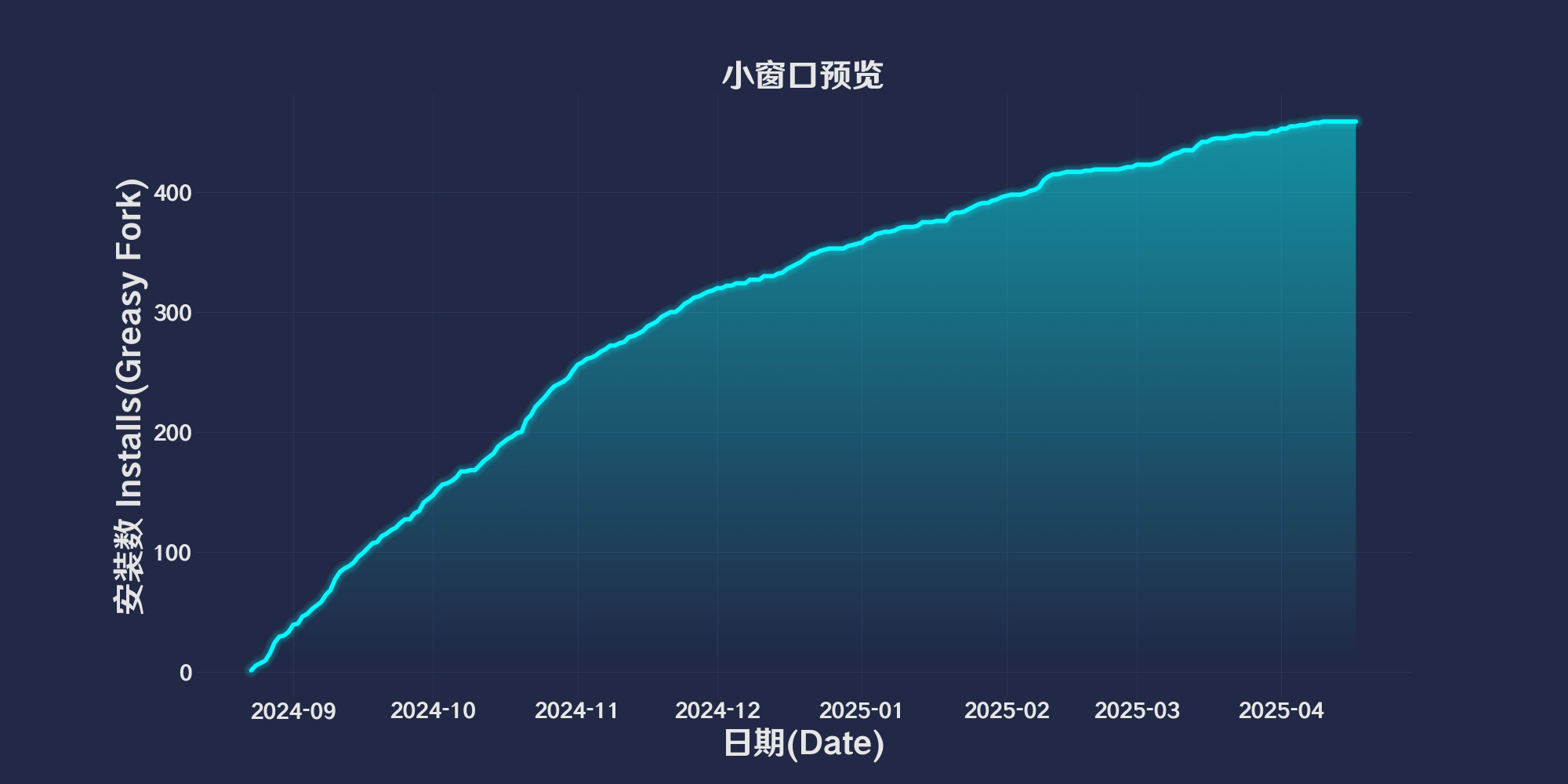
🔗 Drag and Drop to Open Preview Window — Easily open and preview web links in a small window by dragging them, utilizing Edge's pre-read technology. The background of the small window features an acrylic effect to enhance visual appeal.
Action Mode (actionMode)
actionMode.
1 - Triggers the preview window when the link is long-pressed.2 - Triggers the preview window when the link is dragged.0 - Defaults to enabling both of the above action modes.Long Press Duration (longPressDuration)
setLongPressDuration, used to modify the long press duration in conjunction with Action Mode (actionMode).Blur Effect Enabled (blurEnabled)
toggleBlurEffect, used to enable or disable the blur effect.Blur Intensity (blurIntensity)
Close on Mouse Click (closeOnMouseClick)
toggleCloseOnMouseClick, used to enable or disable the setting to close the preview window on mouse click.Close on Scroll (closeOnScroll)
toggleCloseOnScroll, used to enable or disable the setting to close the preview window on mouse scroll.Window Width (windowWidth)
Save Window Configuration is enabled.Window Height (windowHeight)
Save Window Configuration is enabled.Show Countdown (showCountdown)
Action Mode (actionMode)=1 is enabled, displays a countdown progress bar below the mouse before the preview window is triggered by a long press. The time is set by Long Press Duration (longPressDuration).Show Drag Timeout (showCountdowndrag)
Drag Timeout (dragTimeOut) setting. If the time runs out, the drag operation will not open the preview window. If the timeout is set to 0, both the progress bar and the timeout-based cancellation of the drag preview will be disabled.Save Window Configuration (saveWindowConfig)
Each option is followed by a corresponding action function, which is used to update the menu settings. By clicking on an option, users can directly change the related configuration and see the effect immediately.
🌐 Applicable to All Web Pages — Supports all web pages, allowing convenient link preview and opening functionality anytime, anywhere.
网页相关脚本
- 去除链接下划线: 去除网页链接的下划线
- 解除CSDN登录复制限制: 去你妈的 CSDN 登录复制,无需登录即可复制代码框内容
- 网页写入剪辑版授权管理器: 禁止网页向剪辑版拉屎,绿色为放行,红色禁止,橙色临时方向
- 小窗口预览: 拖拽链接时在弹出窗口中打开链接,并在打开前提供预览,使用 Edge 的预读技术。同时在小窗口打开时在背后添加亚克力效果。
- 绚丽渐变美化网页表格: 自动为网页上的表格所有列应用颜色渐变美化.


