Collects streamer messages from live chat into a persistent panel that doesn't truncate
Captures streamer messages from YouTube live chat into a persistent, resizable panel. Never miss what the streamer said because chat scrolled it away.
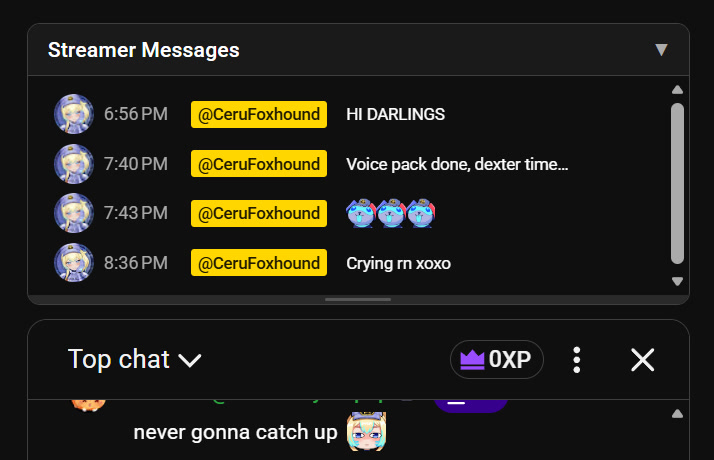
The panel sits above the chat and collects every message from the channel owner. Click the header to collapse it, or drag the bottom edge to resize. Your preferred height is remembered across sessions. Works in both the main watch page and popout chat.
Emojis, custom channel emotes, profile pictures, and timestamps are all preserved. Messages stay in the panel for as long as the page is open, even after they've scrolled out of the regular chat.
YouTube's live chat runs inside an iframe, which creates a security boundary. The script runs in three contexts to handle this:
Chat iframe: A MutationObserver watches for new messages. When one has author-type="owner", it extracts the content and sends it to the parent page via postMessage.
Main watch page: Listens for those messages and renders them in the panel UI.
Popout chat: When chat is popped out into its own window, there's no iframe boundary, so the script observes and renders directly.
The selectors used (#author-name, #message, yt-live-chat-item-list-renderer, etc.) are YouTube's internal DOM structure. If YouTube redesigns their chat, these would need updating, but the core logic stays the same.
MIT
