GitHub Code Colors

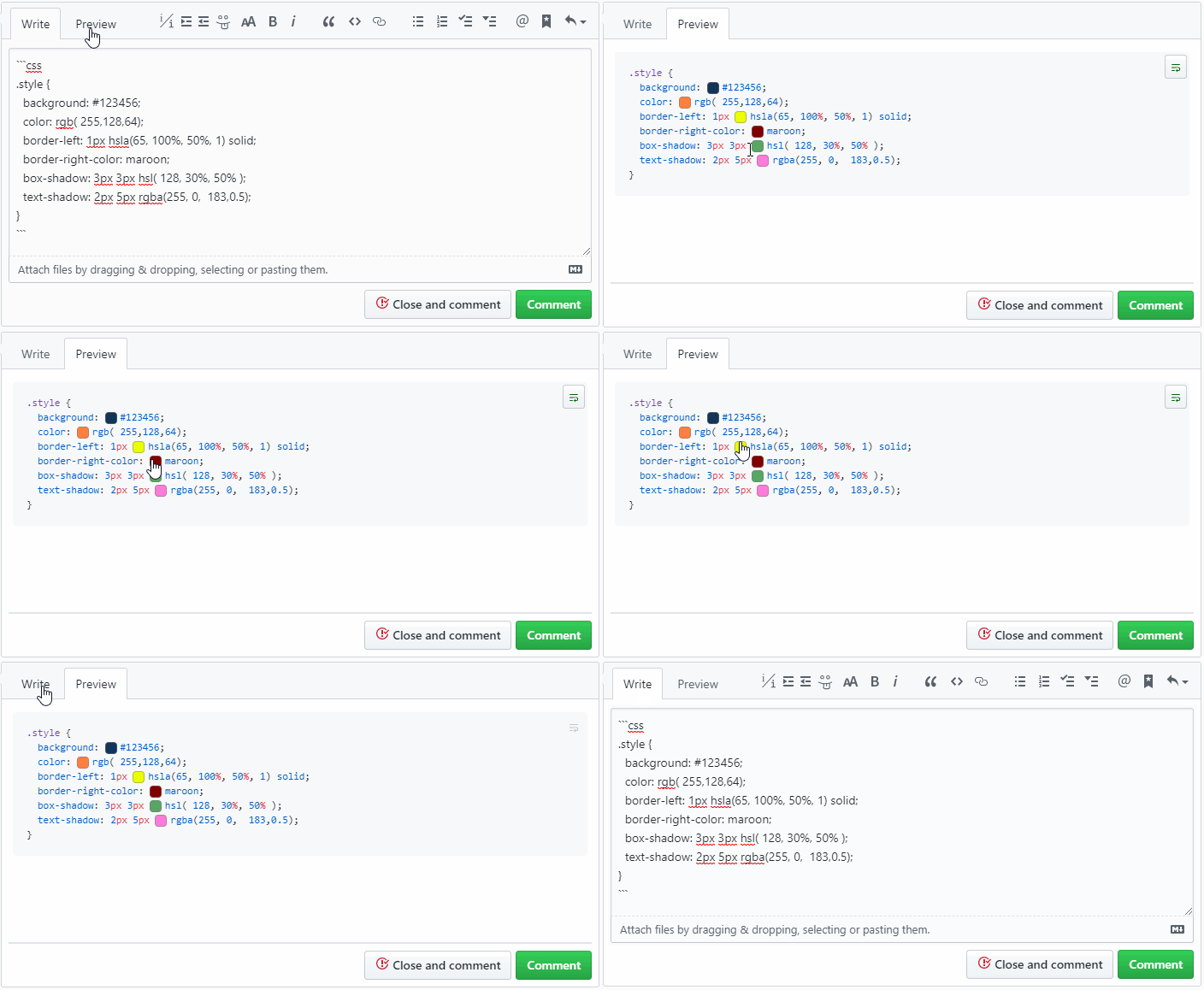
A userscript that adds a color swatch next to the code color definition

您需要先安裝使用者腳本管理器擴展,如 TampermonkeyGreasemonkeyViolentmonkey 之後才能安裝該腳本。

You will need to install an extension such as Tampermonkey to install this script.

您需要先安裝使用者腳本管理器擴充功能,如 TampermonkeyViolentmonkey 後才能安裝該腳本。

您需要先安裝使用者腳本管理器擴充功能,如 TampermonkeyUserscripts 後才能安裝該腳本。

你需要先安裝一款使用者腳本管理器擴展,比如 Tampermonkey,才能安裝此腳本

您需要先安裝使用者腳本管理器擴充功能後才能安裝該腳本。

(我已經安裝了使用者腳本管理器,讓我安裝!)

你需要先安裝一款使用者樣式管理器擴展,比如 Stylus,才能安裝此樣式

你需要先安裝一款使用者樣式管理器擴展,比如 Stylus,才能安裝此樣式

你需要先安裝一款使用者樣式管理器擴展,比如 Stylus,才能安裝此樣式

你需要先安裝一款使用者樣式管理器擴展後才能安裝此樣式

你需要先安裝一款使用者樣式管理器擴展後才能安裝此樣式

你需要先安裝一款使用者樣式管理器擴展後才能安裝此樣式

(我已經安裝了使用者樣式管理器,讓我安裝!)

作者
Mottie
今日安裝
0
安裝總數
444
評價
11 0 1
版本
2.0.9
建立日期
2016-03-20
更新日期
2024-02-17
尺寸
9.1 KB
授權條款
MIT
腳本執行於

A userscript that adds a color swatch next to the code color definition

  • It works in comment previews and code pages.
  • Supports hex, rgb, rgba, hsl, hsla and all named colors.
  • Additional support for colors set inside strings (e.g. javascript or canvas).
  • It does not interfere if you copy & paste the code.
  • In v2+:
    • You can use Tab to navigate between swatches.
    • Pressing Space and Enter will toggle the popup (when focused).
    • Pressing Esc will close all popups.

github-code-color

Hosted with ♥ at GitHub