Add a button above the "Delete this repository" button and auto-fill the repository name when deleting a repository on GitHub.
If you find GHRepoDeleteHelper helpful, please consider giving it a star! ⭐️
GHRepoDeleteHelper is a Tampermonkey script that simplifies the process of deleting repositories on GitHub.
It adds a 🤖 Auto Fill button above the Delete this repository button. Clicking this button automatically fills the input box with <username>/<repo-name> and activates the Delete this repository button below.
The reason for not directly activating the Delete this repository button is because I believe this operation is indeed very dangerous. Therefore, think twice before you go, and GitHub does this probably for the same reason.
However, every time I am sure I want to delete a repository, it is cumbersome to copy and paste. Hence, I created this script to save time, hoping it can also be helpful for you.
However, it is very annoying to copy and paste every time I decide to delete a repository. Therefore, I created this script to save time, and I hope it can also be helpful for you.
Delete this repository button and follow the instructions until a popup prompts you to enter <username>/<repo-name>.Delete this repository button, a 🤖 Auto Fill button will automatically appear.🤖 Auto Fill button , and the input box will be filled automatically, activating the Delete this repository button.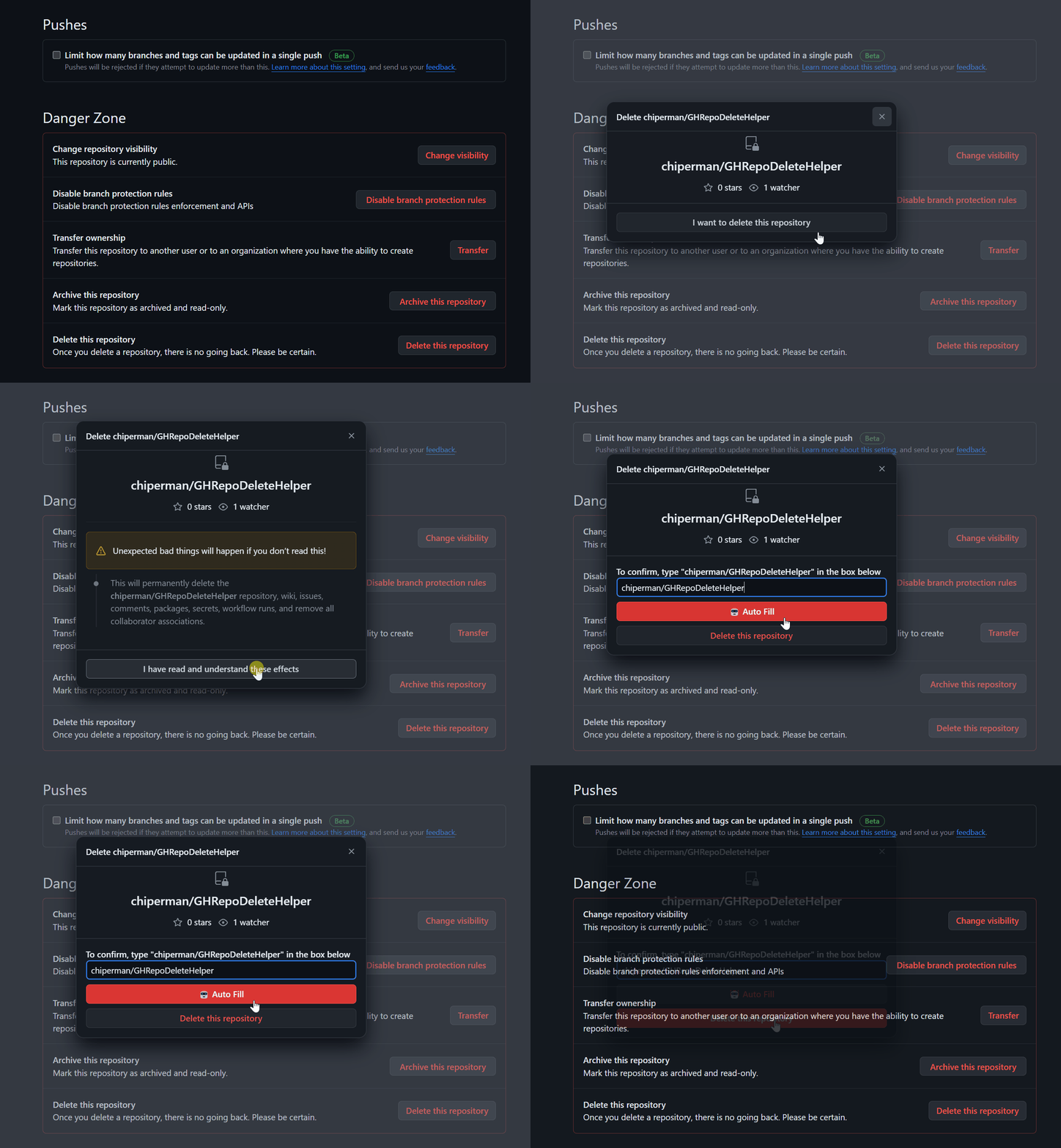
This project is licensed under the terms of the MIT License.
Contributions are welcome! Please feel free to submit issues or pull requests.
