YouTube 播放速度與循環

為 YouTube 提供超過 2 倍的播放速度控制和重複播放功能

目前為 2025-05-27 提交的版本,檢視 最新版本

您需要先安裝使用者腳本管理器擴展,如 TampermonkeyGreasemonkeyViolentmonkey 之後才能安裝該腳本。

You will need to install an extension such as Tampermonkey to install this script.

您需要先安裝使用者腳本管理器擴充功能,如 TampermonkeyViolentmonkey 後才能安裝該腳本。

您需要先安裝使用者腳本管理器擴充功能,如 TampermonkeyUserscripts 後才能安裝該腳本。

你需要先安裝一款使用者腳本管理器擴展,比如 Tampermonkey,才能安裝此腳本

您需要先安裝使用者腳本管理器擴充功能後才能安裝該腳本。

(我已經安裝了使用者腳本管理器,讓我安裝!)

你需要先安裝一款使用者樣式管理器擴展,比如 Stylus,才能安裝此樣式

你需要先安裝一款使用者樣式管理器擴展,比如 Stylus,才能安裝此樣式

你需要先安裝一款使用者樣式管理器擴展,比如 Stylus,才能安裝此樣式

你需要先安裝一款使用者樣式管理器擴展後才能安裝此樣式

你需要先安裝一款使用者樣式管理器擴展後才能安裝此樣式

你需要先安裝一款使用者樣式管理器擴展後才能安裝此樣式

(我已經安裝了使用者樣式管理器,讓我安裝!)

作者
Hank8933
評價
0 0 0
版本
1.0.1
建立日期
2025-03-08
更新日期
2025-05-27
尺寸
15.1 KB
授權條款
MIT
腳本執行於

YouTube-Speed-and-Loop

Enhances YouTube with playback speeds beyond 2x and repeat functionality.

Features

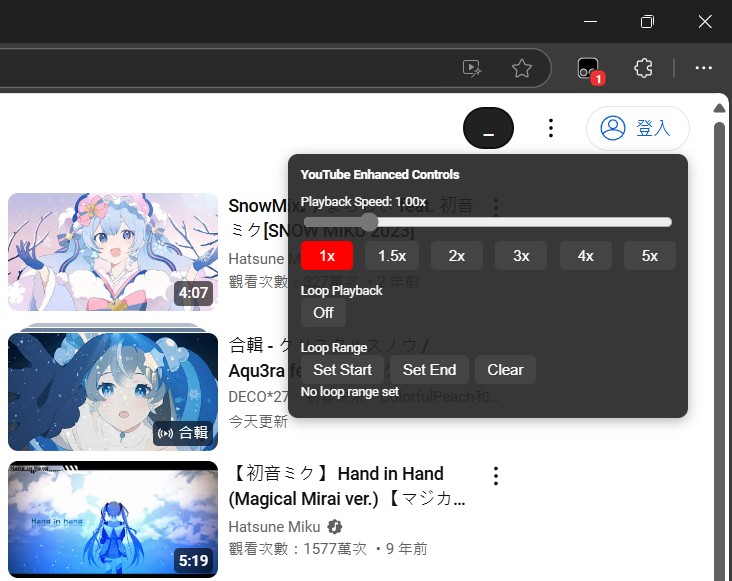
  • Playback Speed Control: Adjust playback speed from 0.25x to 5x using a slider or preset buttons.
  • Loop Playback: Toggle loop playback on/off for the entire video.
  • Loop Range: Set specific start and end times to loop a section of the video.

Installation

  1. Install a userscript manager like Tampermonkey and enable developer mode (see this guide).
  2. Go to Greasy Fork to install the script.

Usage

  • Playback Speed:
    • Use the slider to adjust the speed dynamically.
    • Click preset buttons (1x, 1.5x, 2x, 3x, 4x, 5x) for quick selection.
  • Loop Playback:
    • Click the "Loop Playback" button to toggle looping on/off.
  • Loop Range:
    • Click "Set Start" to mark the loop start time.
    • Click "Set End" to mark the loop end time.
    • Click "Clear" to reset the loop range.

Screenshots

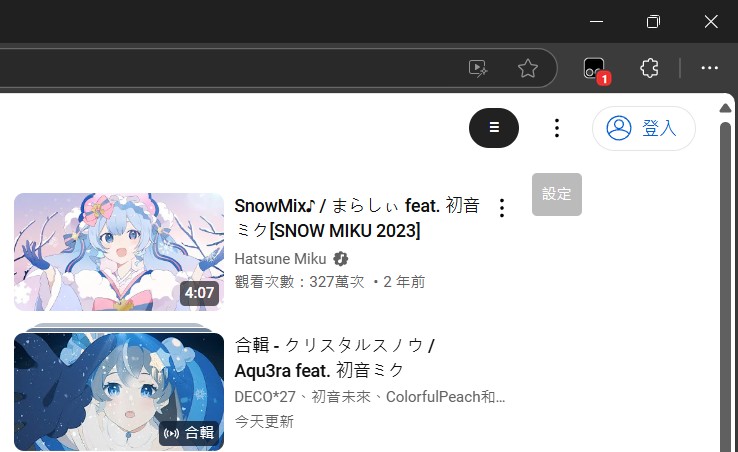
Collapsed Control Panel

The control panel in its minimized state.
Control Panel Collapsed

Expanded Control Panel

The full panel with all options visible.
Control Panel Expanded

📦 Changelog

  • v1.0

    • Initial release with playback speed and loop functionality.
  • v1.0.1 (Current)

    • 🛠️ Fix: Prevent multiple control panels from appearing.
    • 🔄 Fix: Keep custom loop toggle in sync with the native video loop state.

License

MIT License