Greasy Fork 还支持 简体中文。

Proton Mail Carbon Editor Theme

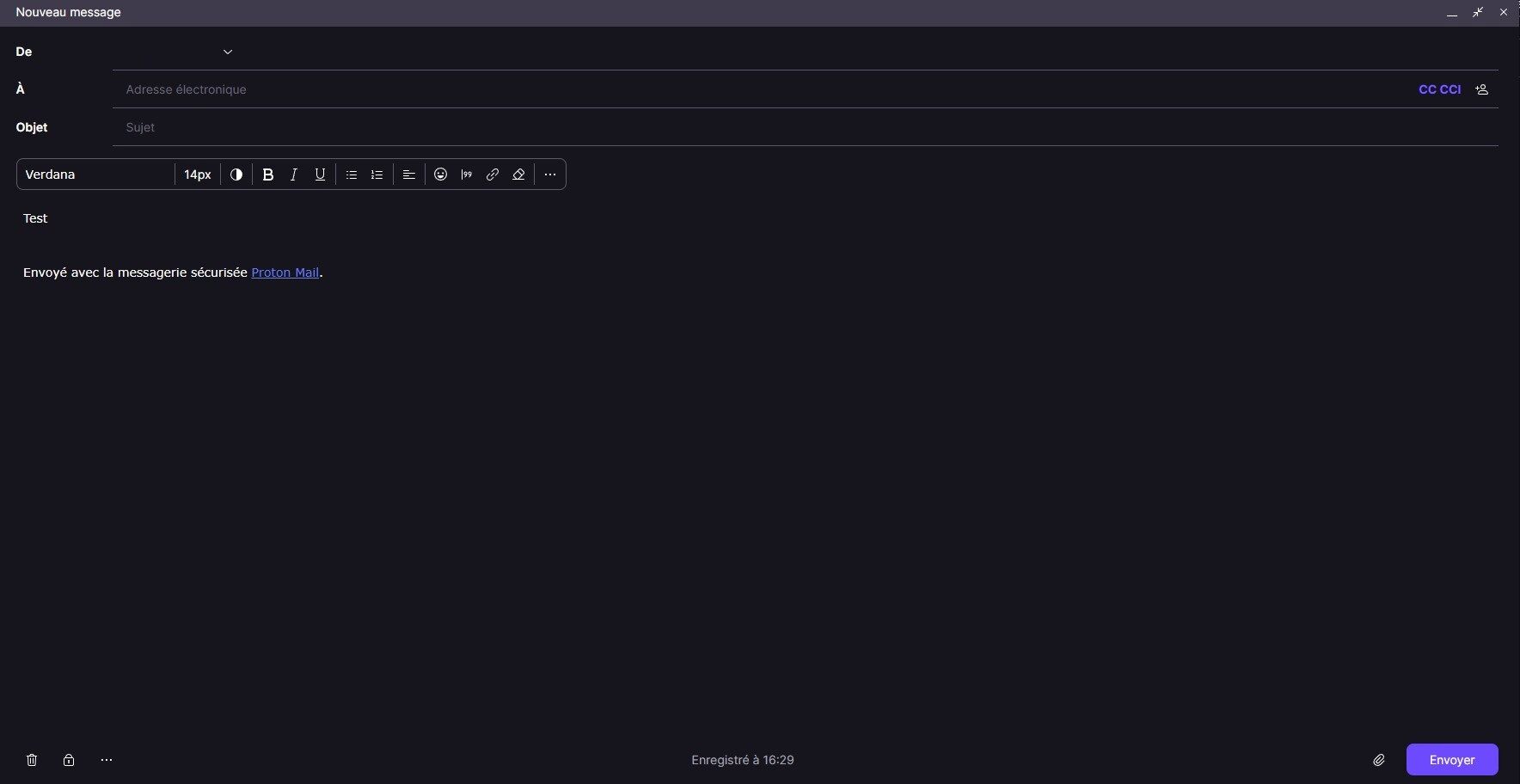
Carbon theme in Proton Mail is beautiful but not complete, so i fix this.
Fra og med 05.02.2024. Se den nyeste version.

You will need to install an extension such as Tampermonkey, Greasemonkey or Violentmonkey to install this script.

You will need to install an extension such as Tampermonkey to install this script.

You will need to install an extension such as Tampermonkey or Violentmonkey to install this script.

You will need to install an extension such as Tampermonkey or Userscripts to install this script.

You will need to install an extension such as Tampermonkey to install this script.

You will need to install a user script manager extension to install this script.

(I already have a user script manager, let me install it!)

You will need to install an extension such as Stylus to install this style.

You will need to install an extension such as Stylus to install this style.

You will need to install an extension such as Stylus to install this style.

You will need to install a user style manager extension to install this style.

You will need to install a user style manager extension to install this style.

You will need to install a user style manager extension to install this style.

(I already have a user style manager, let me install it!)

Skaber
BreatFR
Bedømmelser
0 0 0
Version
1.00
Oprettet
05.02.2024
Opdateret
05.02.2024
Size
1,92 kB
Licens
GNU GPL v3 (https://www.gnu.org/licenses/quick-guide-gplv3.en.html)
Gælder for

Proton Mail Carbon Editor Theme

Carbon theme in Proton Mail is beautiful but not complete, so i fix this.

Preview

Preview

How to use in few steps

  1. Install Stylus browser extension

  2. Go on Proton Mail Carbon Editor Theme website and click on Install on left.

  3. To update the theme, open the Stylus Management window and click on Check for update and follow the instructions or just wait 24h to automatic update.

  4. Enjoy :)

ko-fi
